Mapping the yard
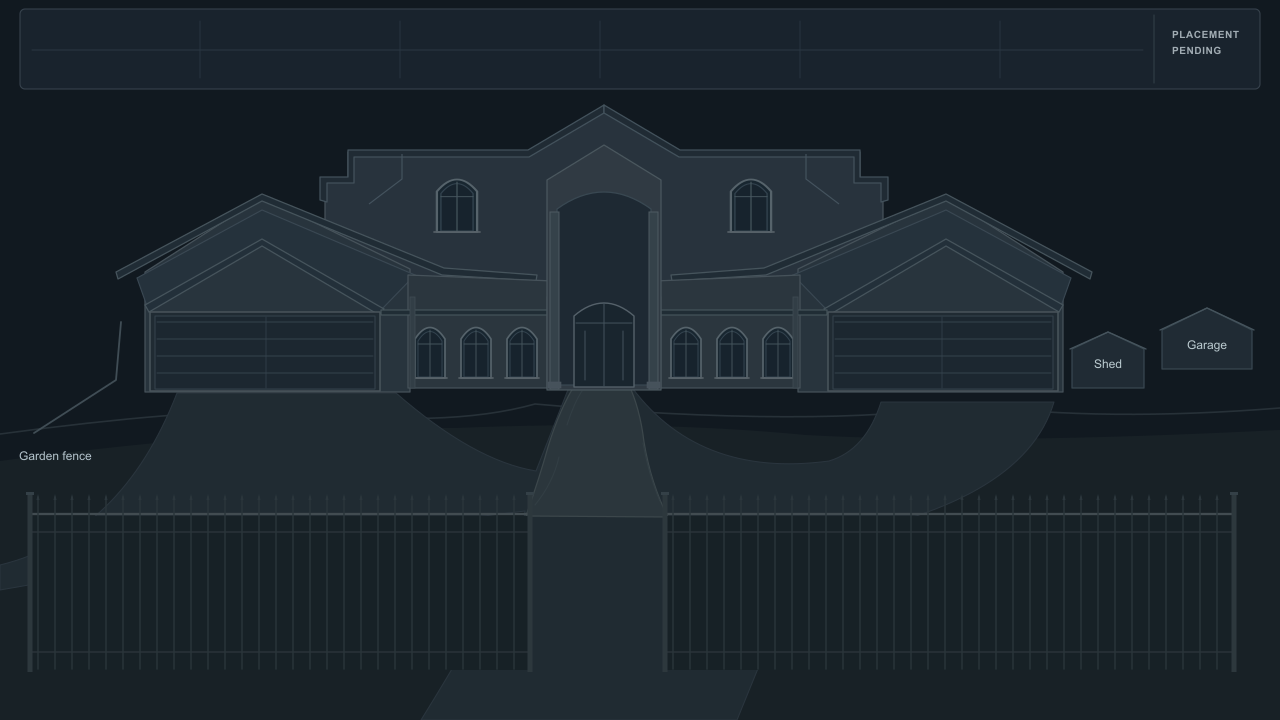
We gave ChatGPT a list of our lights and described where each one sits. It helped us set up the channels and the order of the pixels in xLights. That’s how an effect we draw across the fence on screen reaches the right strand outside.
Previewing the house
We took a photo from the street and walked the yard to describe where the lights sit. ChatGPT helped us turn that into an outline of the house. Once the roof, windows, and fence lined up in the preview, we could spot a misplaced strand before going outside.
Bringing back favorite songs
When we changed our lights, some of our older shows still expected the old equipment. We found the original recordings and light sequences. With ChatGPT’s help, we matched their effects to the new lights and checked that the patterns on our big tree still moved the way we remembered.
Giving the singers their parts
Some songs we wanted had no animation for the tree or the singing faces. We used ChatGPT to create scenes for the tree and time the mouth movements to the words. Then we could choose which of our four faces would sing each verse and how the others would react.